Alarms, Trackers and Meters: The Household Kit Still Banking on 2G
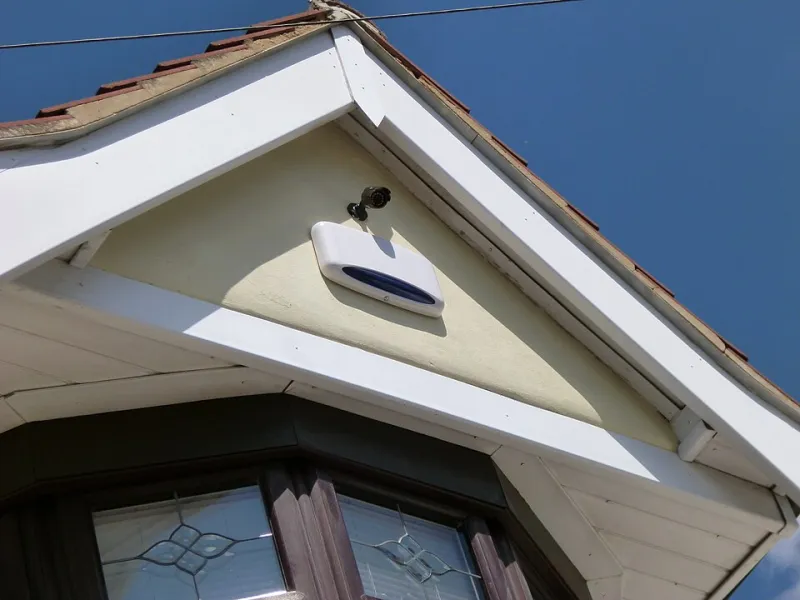
Photo: Harrihealey02, CC BY-SA 3.0, via Wikimedia Commons
Most people think of a SIM card as the thing inside a phone. In plenty of UK homes, though, there’s a second, quieter SIM doing a job you never see. It might sit inside the burglar alarm by the front door, the telecare pendant on the hall table, the tracker under the car dashboard or the communications hub for a smart meter. These embedded SIMs are cheap, low-power and built for the odd burst of data. Many also have a problem: they were designed for 2G or 3G, and those older networks are being retired.
Why an alarm or meter cares about the mobile network
2G and 3G were never just for early smartphones. They became the default plumbing for machine-to-machine kit because the radio modules were cheap, the data demands were tiny and the batteries lasted for years. A burglar alarm sending a short signal to a monitoring centre, or a car tracker reporting its location once an hour, does not need much bandwidth.
But UK networks want that spectrum back for 4G and 5G. The old services are being switched off in stages, and the exact timing varies by operator. For a phone, that usually means a new handset or a settings change. For a household gadget, it can mean the device goes silent — and unlike a phone, it probably won’t pop up a warning on screen.
The usual suspects in a UK home
The list is longer than most people expect. Common examples include:
- Intruder alarms that use a mobile signalling module rather than a landline.
- Telecare and fall alarms used by older or vulnerable residents.
- Car trackers, including insurance-approved units and aftermarket trackers.
- Smart meters and in-home displays where the supplier uses a cellular connection.
- Older CCTV systems, doorbells and boiler monitors that send alerts over a mobile network.
- Gate and garage openers, pet trackers and asset trackers with embedded SIMs.
Not every device on that list is at risk. Some smart meters use a mesh radio network rather than a consumer mobile network. Some alarms already have a 4G module. The only way to know is to check the specific model and the specific connectivity contract behind it.
How to tell if yours is on borrowed time
Start with the paperwork or the label. Look for words such as GSM, GPRS, 3G, UMTS or WCDMA. Those are legacy mobile technologies. If you see LTE, 4G or 5G, the device is more likely to survive the switch-off — though you should still check whether it needs VoLTE for voice calls or whether its data plan will be migrated.
Next, search the model number with the phrase “2G switch-off” or “network retirement”. Manufacturer support pages are often more useful than retailer listings. If you can get into the device settings or the accompanying app, look for a network status screen. It may show 2G, 3G, 4G or an operator name.
For anything that matters — an alarm, a telecare pendant, a tracker your insurer requires — ring the provider. Give them the model and serial number and ask a direct question: what happens to this device when 2G or 3G is switched off in my area, and what is the migration path? A good provider will have an answer. A vague one is a warning sign.
What the networks are actually saying
UK operators publish switch-off information and migration guidance, but the detail is not always aimed at households. Some networks offer SIM swaps or device upgrades for business customers. Some manufacturers sell replacement modules. Others simply expect you to buy a new unit.
Be careful with dates. The retirement of 2G and 3G is not one clean national moment. It happens by operator, by region and sometimes by service. A device that works today may stop working next month, or it may keep going into 2027. That uncertainty is exactly why checking now beats waiting for the silence.
Replacement options that won’t leave you paying for a dead connection
If the device is critical, look for a 4G or 5G replacement with a clear UK coverage story. For alarms and telecare, ask whether the new unit uses VoLTE for voice and whether the monitoring centre supports it. For trackers, check that the replacement is approved by your insurer if that matters. For smart meters, do not buy anything yourself — speak to your supplier, because the communications hub is their responsibility.
When you compare connectivity plans, treat embedded SIM deals like any other mobile contract. Check the monthly cost, the minimum term, what happens if coverage fails at your home and whether you can cancel if the device is not fit for purpose. A cheap 24-month plan on a gadget that cannot get a signal is not a bargain. A slightly pricier monthly plan with an exit route may be the safer bet.
The small-print traps
Watch for phrases like “lifetime SIM”, “works on all UK networks” and “free upgrade”. A lifetime SIM usually means the lifetime of the contract or the network technology, not your lifetime. A free upgrade may come with a fresh 24-month monitoring agreement. And a 4G device with 2G fallback is only useful while 2G still exists.
If you are replacing an alarm or telecare unit, do not cancel the old monitoring contract until the new one is installed and tested. Keep the old device running during the crossover if you can. Test the new unit with the monitoring centre, not just by pressing a button and hoping.
A quick checklist
- Find the model number and check whether it uses 2G, 3G or 4G.
- Ask the provider what happens after the switch-off in your area.
- Get the migration cost in writing, including any new contract term.
- Check coverage at your home before you commit.
- Test the replacement device with the monitoring service.
- Cancel the old connectivity plan only once the new kit is live.
The 2G retirement is not a scam or a surprise. It has been coming for years. But a dead alarm, tracker or fall pendant does not announce itself. It just goes quiet. Twenty minutes of checking now is a lot better than discovering the problem on the one day you actually need the device to work.