The Dead Phone Drill: What Your Handset Can Still Do When You Dial 999
Most of us have a quiet assumption in our heads: if something goes badly wrong, we’ll dial 999 and someone will answer. That assumption is usually right. But it gets shaky when the phone in your hand looks useless — no SIM, a plan that expired months ago, a handset that’s locked to a network, or a foreign eSIM you bought for a weekend in London.
The good news is that emergency calling is not a normal mobile call. The bad news is that “usually works” is not the same as “always works”. As of 2026, the core rule is still the same: emergency calls are treated differently from ordinary calls. Here’s the practical version, without the technical fog.
999 and 112 are treated differently
In the UK, 999 and 112 both reach the emergency services. You do not need credit, and you do not need an active pay-monthly or pay-as-you-go plan in the usual sense. A mobile phone will generally try to connect an emergency call through any available UK network, not just the one printed on your SIM. That’s why a phone with no SIM can sometimes still make a 999 call.
But “can” is doing a lot of work in that sentence. The phone needs a charged battery, a handset that isn’t broken, and at least one network with usable signal where you’re standing. If there are genuinely no bars from any operator, an emergency call has nothing to travel over. No SIM does not create coverage.
No SIM, no credit, expired plan
If you take the SIM out of a working phone, the handset should still offer an emergency call option. On many phones you’ll see “Emergency” on the lock screen or a message saying emergency calls only. Dialling 999 or 112 may then connect through whichever UK network is available.
An expired PAYG SIM is similar in principle: emergency calls are not supposed to be blocked just because your credit is zero. A SIM that has been cancelled, reported lost or cut off for fraud is a different matter. At that point you’re closer to the no-SIM situation — the phone may still try, but don’t treat it as a guaranteed lifeline.
Locked handsets and lock screens
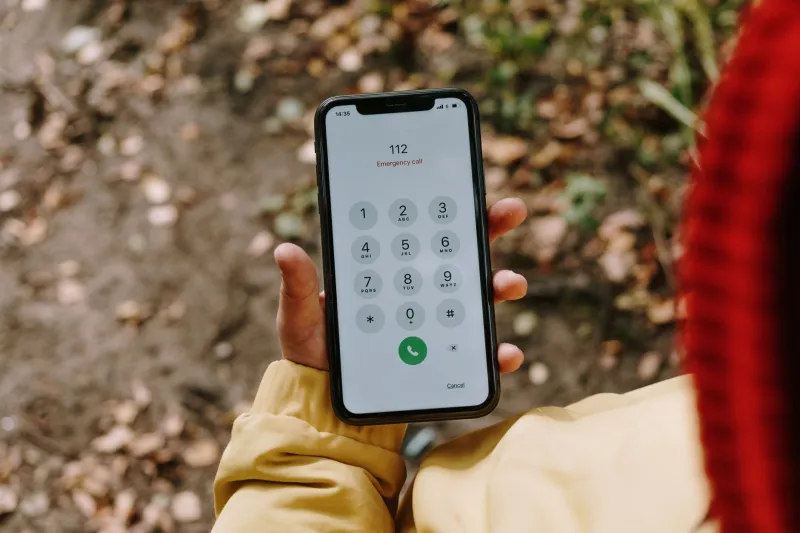
A handset locked to one network is an old annoyance, not usually a barrier to emergency calls. Emergency calls are handled separately from ordinary network-locked calls. The bigger practical issue is the lock screen. If your phone is PIN-protected, learn where the emergency call button sits before you need it. On most modern handsets it’s on the passcode screen; you don’t need to unlock the phone.
If your SIM has its own PIN and you’ve switched the phone on without entering it, you may still get an emergency call option. Again, the phone has to see a network. A locked phone in a basement with no signal is still a locked phone in a basement with no signal.
Foreign eSIMs and emergency roaming
A visitor with a foreign eSIM should be able to dial 999 or 112 in the UK. Emergency calls are a special case in roaming rules, and they’re not meant to depend on whether you’ve bought a UK data add-on. The same applies if you’re a UK user abroad: 112 works across the EU, and 999 is the UK number. Don’t assume your normal roaming bundle covers a long chat with the emergency operator — but the emergency call itself is not a chargeable call in the usual sense.
The catch is location. If you’re using a foreign eSIM, your phone may have less local information to share with the emergency services. That doesn’t mean the call won’t connect. It means you should be ready to describe where you are.
What the operator can see
When you call 999 from a smartphone in the UK, many handsets use Advanced Mobile Location, or AML. In plain English, the phone tries to send a more precise location — GPS, Wi-Fi and mobile signals — to the emergency services alongside the call. It’s not an app you install, and it’s not something you need to switch on in most cases.
But AML is not magic. It depends on the handset, the network and the call connecting properly. A no-SIM emergency call may still share location, but I wouldn’t bet a crisis on it. Be ready with a postcode, a road name, a landmark, a what3words reference or a description of the building. “Near the big Tesco” is better than nothing; “on the northbound platform at Birmingham New Street” is better still.
Wi-Fi calling is not a replacement for a signal
Some UK networks let you make emergency calls over Wi-Fi calling if you have no mobile signal. That can be genuinely useful at home or in an office with dodgy coverage. But it’s not universal, it depends on your network and handset, and the location information may be less precise. Treat Wi-Fi calling as a bonus, not a plan.
A two-minute check you can do now
You can’t test a real 999 call — please don’t. But you can check the basics:
- Know where the emergency call button is on your lock screen.
- Add medical and emergency contact details to your phone’s lock-screen emergency information.
- Check that your phone isn’t so old or damaged that it struggles to find any network at all.
- If you rely on a spare phone, charge it and keep a working SIM in it if you can.
- If you’re travelling with a foreign eSIM, save your accommodation address and a nearby landmark offline.
- Remember that 112 works in the UK and across the EU.
The honest bottom line
A phone with no SIM, no credit or a foreign eSIM is not automatically useless in an emergency. In the UK, 999 and 112 are designed to get through when ordinary calls can’t. But the system still needs a signal, a working handset and a bit of luck. The sensible approach is simple: don’t rely on the emergency backdoor as your everyday plan, but do know how to use it if the ordinary route fails.
If you’re stuck without bars, move somewhere higher or more open, try another phone if someone nearby has one, and be ready to give your location clearly. The call is special. Your preparation should be too.